Hexwing Internal Cheat
10&11 x64, versions (2004 / 20H2 / 21H1 / 21H2 / 22H2 / 23H2 / 24H2)
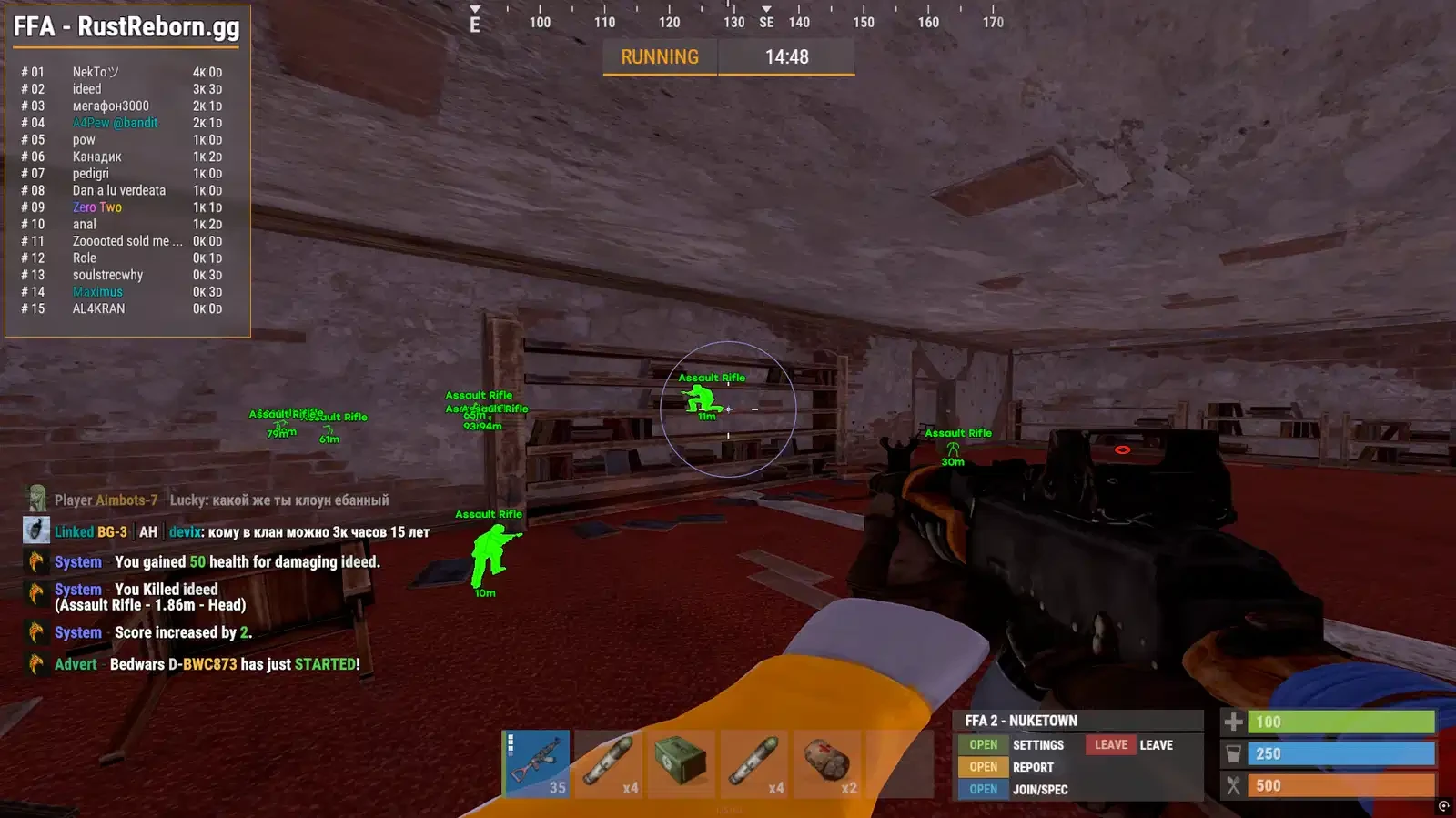
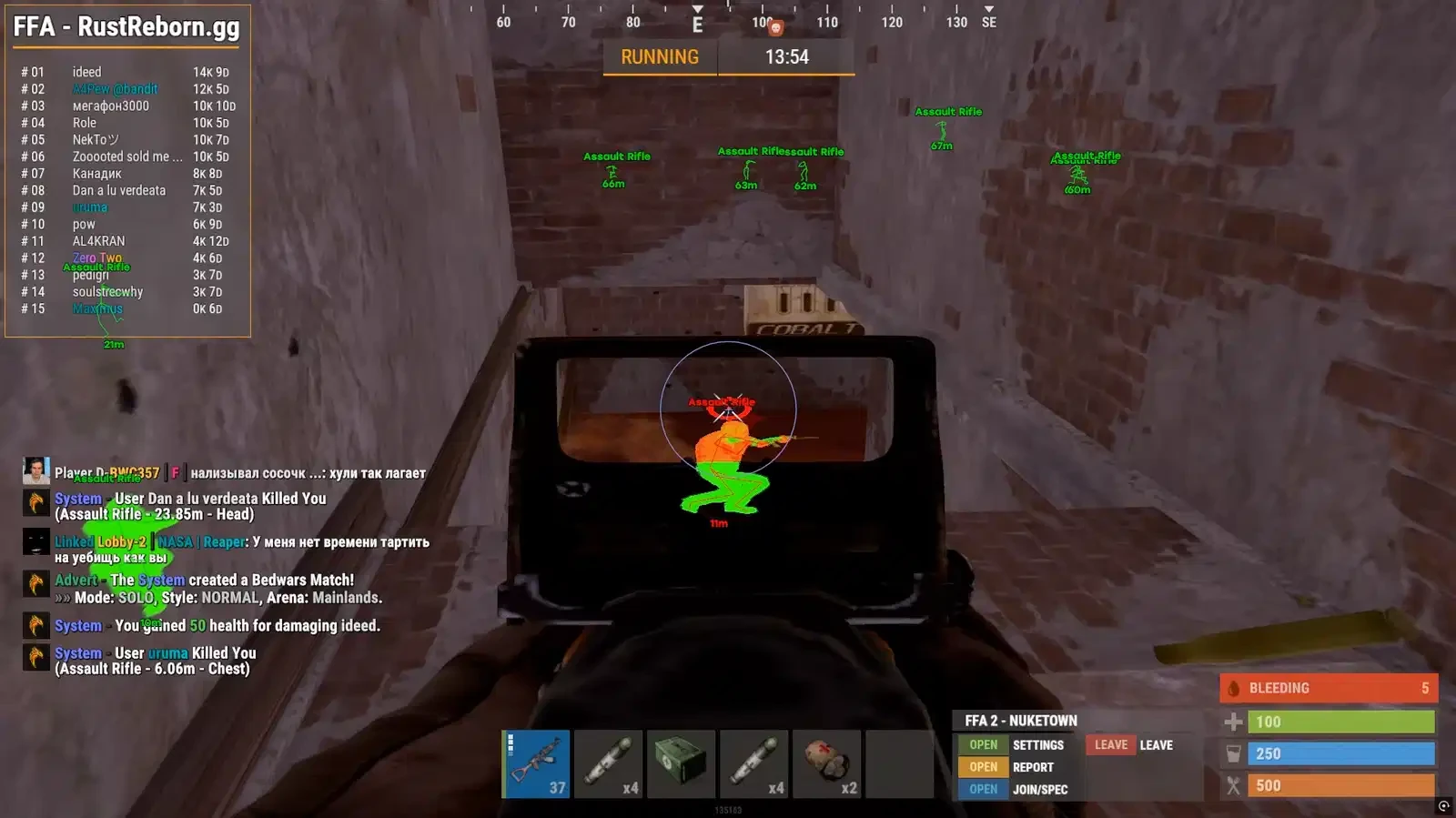
Hexwing is a high-performance internal Rust cheat built specifically for rage gameplay, delivering extreme accuracy, raw power, and smooth in-game integration. Featuring a brutal rage aimbot, silent aim, no recoil, no spread, and full ESP, Hexwing lets you wipe players effortlessly while maintaining stability and control. Designed for aggressive playstyles, it injects internally for faster response, cleaner visuals, and maximum impact, perfect for players who want to dominate servers without limits.
Hexwing Internal - Features
==================================================
• AIMBOT
- Aimbot: Snaps onto your target (custom hotkey) / The scope is instantly aimed at the target (custom key)
- PSilent: Curves projectiles towards the target (custom hotkey)
- High Grenade Prediction: Forces prediction to find a valid point from a higher angle
- Target Saved Position: Targets your current saved position on the map
- Use Smoothing: Humanizes the aimbot / Makes pointing smoother (natural)
- Use Vischeck: Only targets visible players
- AutoFire: Automatically shoots when the target is hittable
- Hit Chance: Makes some shots miss (only with PSilent, has slider for %) / Sets the hit chance (for realism, works with PSilent)
- Keep Target: Keeps the target locked while holding the hotkey, even if out of FOV
- Smooth: Customizable smoothing value
- Aimbone: Choose from a range of bones to aim at (Head, Neck, Spine, Lower Spine, Pelvis, Hitscan Priority )
- Secondary Aim Features: / Secondary Aiming Features
- Secondary Aimbone: Choose a secondary bone for aiming
- Secondary Priority: Set priority for the secondary aim bone (Head, Neck, Spine, Lower Spine, Pelvis)
- Custom Projectiles: Makes projectiles hit if near the target (larger on mounted players)
- Legit Bullet TP: Reduces projectile size to seem more legit
- Behind Wall Calculations: Automatically calculates where PSilent should target behind objects
- Heli Magic: Expands the helicopter hitbox
- Desync On Keypress: Activates desync while pressing aim key
- Bone Override: Overrides hitbone to a selected bone
- Heli Rotor Override: Overrides hitbone to target the weakspots of the helicopter
- Pierce Hitbone: Chooses hitbone for projectiles (Head, Chest, Hand, Foot, Rand, Rand Hithead)
- Hit Material: Select projectile material (Generic, Glass, Metal, Wood, Flesh, Dirt, Snow) / Select the type of hit material (metal, Wood, Glass, etc.)
- Override Bone: Choose override bone (Head, Chest, Hand, Foot, Rand, Rand Hithead)
- Crosshair: Customizable crosshair with color options
- FOV: Field of View with color settings
- Simulate Projectile: Draws where the projectile will land / Shows the projectile's flight path
- Predicted Marker: Draws where you need to aim to hit the target / Displays the point where you need to aim for a hit
- Target Snapline: Draws a snapline to the target
- Crosshair Types: Choose from Cross, Thick Cross, or Dot
- Fov Value: Adjustable FOV size for aimbot
- Recoil: / Return
- Recoil X: Adjust recoil in X / X-axis recoil correction
- Recoil Y: Adjust recoil in Y / Y-axis recoil correction
- No Sway: Removes weapon sway
- Spread: Modifies projectile spread / Adjusts the spread of projectiles
- Spread Amount: Adjust spread (0 for no spread, 100 for max spread) / Setting the degree of spread (0 – no, 100 – maximum)
- No Weapon Bob: Removes weapon bob
- No Bolt Cycle: Shoot without bolt cycle in bolt action rifles
- Unlock Angles: Turn while mounted (via hotkey) / Allows you to rotate while using the turret (via a key)
- No Melee Punch: Removes melee punch (similar to recoil)
- No Melee Slowdown: Removes melee slowdown when running and hitting
- Fast Bow: Instant bow shot on left mouse button press
- Instant Charge: Instantly charges compound bow (without max damage)
- No Movement Penalty: Walk/run while charging compound bow
• VISUALS
- Players: Toggle player ESP with customizable color customization / Displays Players (ESP) with color adjustment
- Scientist: Toggle NPC visibility with color customization / Displays NPCs (scientists) with a color setting
- Name: Display player names
- Distance: Show distance to players
- TeamID: Display Team IDs
- Box: Display corner box around players
- View Direction: Draws the direction in which the player is looking
- Skeleton: Show player skeleton with adjustable thickness / Displays the player's skeleton with thickness adjustment
- HeldItem: Show held item for players
- Hotbar Options: Toggle hotbar, clothing, parenting, use icons, and friendly/NPC/sleeper options / Displays inventory, clothing, and NPC and sleeping player statuses
- Team / Enemy: Toggle ESP for teammates and enemies with color customization and hotkey
- Wounded/Dead: Toggle ESP for wounded or dead players / Shows wounded and dead players
- Sleeping: Toggle ESP for sleeping players
- Online Sleeper: Only draw a sleeping player if he is connected to the server / Displays sleepers if they are online
- Dead: Draw dead players that have not respawned
- Safetone: Toggle ESP for safezone players
- Outside: Draw an indicator that a player is outside
- OOF: Draws indicators for players out of sight
- Viscolor: Customize visibility color
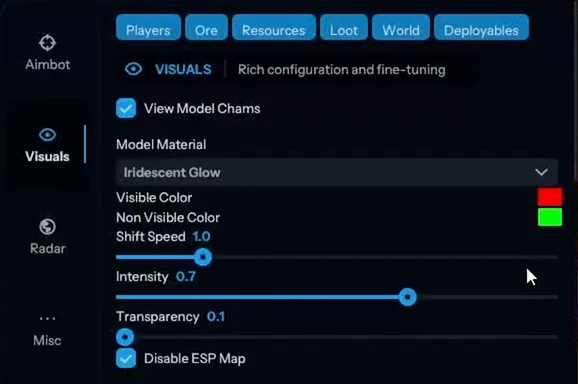
- Player Chams: Enable player chams with various material options (Lightning, Fire, etc.) / Enables highlighting of player models with different effects (lightning, fire, etc.)
- Disable Player Culling: Disables culling for players / Cancels hiding players out of frame
- Cham Options: Customize chams for Friendly and NPC chams / Adjusts the lighting effects for allies and NPCs
- Cham Colors: Adjust cham colors when selecting specific materials
- Text Spacing: Adjust spacing for player text / Adjusts the distance between texts
- Player Distance: Set the distance at which players are drawn
- NPC Distance: Set the distance at which NPCs are drawn
- WORLD
- Disable ESP Map: Disables all ESP when map is open / Disables ESP when opening the map
- Battlemode: Disables every item ESP on keypress
- Point Of Interest: Generates a marker on the map at your saved position
- Raids: Enables ESP for raids from any distance / Enables ESP for raids from any distance
- Raid Time: Adjusts the time for raid visuals
- Save Position: Enables ESP for your last saved position
- Save House: Enables ESP for your saved house
- Clear House: Clears your saved house position
- Clear Position: Clears your saved position
- VEHICLES / Transport:
- Patrol Heli: / Patrol helicopter
- Bradley: / BTR Bradley
- Drones: / Drones
- Cargo Ship: / Cargo Ship
- Minicopter: / Minicopter
- Scrap Heli: / Scrap Helicopter
- Rowboat: / Boat
- Submarine: / Submarine
- Attack Helicopter: / Combat Helicopter
- Tug Boat: / Tug Boat
- Pedal Bikes: / Bicycles
- Motor Bikes: / Motorcycles
- Vehicle Chams: Enables chams for vehicles
- Material: Choose material type for vehicle chams ( lightning, fire, etc.)
- Vehicle Distance: Adjusts draw distance for vehicles
- DEPLOYABLES / Objects to install:
- Recycler: / Recycler
- Cupboard: / Construction cabinet
- TC Options: Display options for the Cupboard (HealthBar, Upkeep, ShowID) / Cabinet Display Options (health, Content, ID)
- Stashes Unhidden: / Shows hidden caches
- Local Stashes: Saves the stash position
- Sleeping Bag: / Sleeping Bag
- RF Receiver: / RF Receiver
- RF Broadcaster: / RF transmitter
- HBHF Sensor: / HBHF Motion Sensor
- Seismic Sensor: / Seismic Sensor
- Large Battery: / Large Battery
- Workbench Tier 3 / 2: / Workbench level 2/3
- Deployable Chams: Enables chams for deploy
• ESP LOOT
- Ore Chams: Enables chams for ores
- Material: Choose the material type for Ore chams (e.g., Lightning, LightGlow, Flame, etc.)
- Node Path: Draws a line to the closest ore enabled in ESP
- Node Distance: Adjusts the draw distance for ores
- Hemp: / Hemp
- Stone: / Stone
- Metal: / Metal
- Sulphur: / Sulfur
- Wood: / Tree
- Diesel: / Diesel
- Berry Selection: Select from various berries (BlackBerry, BlueBerry, etc.) to enable ESP / Displays berries (blueberries, blackberries, etc.)
- Collectible Distance: Adjusts the draw distance for collectibles
- Corn: / Corn
- Mushroom: / Mushrooms
- Pumpkin: / Pumpkin
- Potato: / Potato
- Food Chams: Enables chams for food items
- Material: Choose the material type for Food chams (e.g., Lightning, LightGlow, Flame, etc.)
- Food Distance: Adjusts the draw distance for food items
- Bear: / Bear
- Boar: / Wild Boar
- Stag: / Deer
- Wolf: / Wolf
- Horse: / Horse
- Shark: / Shark
- Animal Chams: Enables chams for animals
- Material: Choose the material type for Animal chams (e.g., Lightning, LightGlow, Flame, etc.)
- Animal Health: Select the display type for animal health (HealthBar, HealthText)
- Airdrop: / Airdrop (airdrop)
- Locked Crate: / Closed Mailbox
- Normal Crate: / Normal mailbox
- Military Crate: / Military Mailbox
- Elite Crate: / Elite Mailbox
- Tool Crate: / Tool Box
- Advanced Water Crate: / Advanced Water Crate
- Basic Water Crate: / Simple Water Box
- Medical Crate: / Medical Mailbox
- Food Crate: / Food Crate
- Basic Crate: / Basic Mailbox
- Normal Barrel: / Normal Barrel
- Oil Barrel: / Oil barrel
- Container Chams: Enables chams for containers
- Material: Choose the material type for Container chams (e.g., Lightning, LightGlow, Flame, etc.)
- Player Corpse: / Player's corpse
- Scientist Corpse: / Scientist's Corpse
- Animal Corpse: / Animal's corpse
- Backpack: / Backpack
- Dropped Items: / Dropped Items
- Distance: Adjusts the draw distance for dropped items
- Item Category: Choose categories for dropped items (Weapon, Construction, Items, Resources, etc.)
- Dropped Weapons: / Dropped weapons
- Distance: Adjusts the draw distance for dropped weapons
- Other Chams: Enables chams for other entities
- Material: Choose the material type for Other chams (e.g., Lightning, LightGlow, Flame, etc.)
• MISC
- RADAR
- EnableRadar: Enables radar
- Draw Scientist: Draws scientists on radar / Shows scientists on the radar
- Draw Other Entities: Draws other entities on radar / Shows other objects on the radar
- Draw Cross: Draws cross on radar / Displays the crosshair on the radar
- Adjustable color settings for radar cross
- Draw Background: Draw radar background / Displays the radar background
- Adjustable color settings for radar background
- Draw Circles: Draw radar range circles / Shows radius circles on the radar
- Adjustable color settings for radar circles
- Draw Text: Draw text on radar / Displays text on the radar
- Draw Direction: Displays the direction on the radar / Displays the direction on the radar
- INGAME RADAR / Built-in game radar
- Ingame Map Players: Displays players on in-game map
- Ingame Map Scientist: Displays scientists on in-game map
- Show Ingame Radar Text: Displays radar text
- Show Ingame Radar Direction: Displays radar direction / Displays the direction of the radar
- INGAME RADAR ENTITIES
- Ingame Map LocalStashes: Displays local stashes on in-game map
- Ingame Map Raids: Displays raids on in-game map
- RADAR MODIFICATIONS
- Radar Size: Adjusts the radar size
- Players Length: Adjusts player marker length
- NPC Length: Adjusts NPC marker length
- Player Thickness: Adjusts player marker thickness
- NPC Thickness: Adjusts NPC marker thickness
- Player Circle Size: Adjusts circle size for players
- NPC Circle Size: Adjusts circle size for NPC
- Entity Circle Size: Adjusts circle size for entities
- INGAME RADAR SLIDERS
- Map Circle Size: Adjusts the size of circles on the map
- Entity Map Circle Size: Adjusts the size of entity circles
- Debug Camera: Frees camera position (custom hotkey) / Unlocks the camera (by pressing)
- Instant Loot: Instantly loots items from boxes
- Instant Pickup: Instantly picks up items (e.g., doors, boxes) / Quickly picks up items from the ground
- Replace Door: Replaces current door with one in your hand
- Fast Place: Decreases placement time for high walls
- Instant Revive: Instantly revives players
- Revive Options: Everyone or Friends Only
- Suicide: Breaks legs to suicide (custom hotkey)
- Open Crates: Opens unopened crates / Opens unopened mailboxes
- No Spike / Landmine Collision: Walk on traps without damage
- Anti Violations: Prevents generating violations / Blocks anti-cheat violations
- Violation Options: Flyhack, Noclip, Speed, etc. / Protection Options: flying, passing through walls, speed
- Bar Type: Pulsating, Normal, Segmented, Circle / Indicator Type: Pulsating, Normal, Circular
- Anti AFK: Prevents AFK kick / Prevents AFK crashes
- Flyhack: Fly with WASD key (adjustable speed)
- Disable Collisions: Clip through objects
- Interactive Noclip: Move anywhere with noclip (adjustable speed)
- Teleport: Teleports 5 meters up/down
- Omni Sprint: Sprint in any direction
- On Ladder: Shows when on ladder / Displays the status when you are on the stairs
- Dick Mode: Puts you into ground on others’ screens (invisible)
- Walk on Water: Lets you walk on water
- Infinite Jump: Jump anytime
- Spinbot: Automatically spins you (adjustable speed) / Rotates the character at the specified speed
- No Fall: No fall damage / No fall damage
- No Collision: Walk through players
- No Drag: Walk through spikes/fire without slowdown / Pass through spikes and fire without slowing down
- No Minigun Spinup: Shoot minigun instantly
- Weapon Spammer: Plays shooting animation (hotkey)
- Spam Speed: Adjusts spam speed
- Eoka Modifications: Modifies Eoka hitchance / Adjusts the accuracy of Eoka
- Eoka Mode: Legit, Rage, or NeverHit / Eoka Mode: Realistic, Furious, Miss
- Success Fraction: Adjusts success rate
- Projectile Speed: Changes projectile speed
- Speed: Adjusts the speed value
- Full Auto: Makes gun fully automatic
- Can Shoot: Shoot while swimming, climbing, etc. / Ability to shoot in water or on stairs
- Aim in Mountable: Aiming in mounted vehicles
- Custom Melee Effects: Changes hit effects for melee
- Effect Type: Glass, Water, Tree, Flesh, Metal, Dirt / Effect Type: Glass, Water, Wood, Body, Metal, Dirt
- Melee Players: Automatically hits players / Automatically hits players in melee combat
- Melee Bone: Head, Chest, Hand, Foot, Rand, Rand NoHead / Close-range bone (head, chest, etc.)
- Melee Trees: Automatically hits trees
- Melee Ore: Automatically hits ore / Automatically mines ore
- Melee Helicopter: Hits helicopter with extended range
- Auto Strike: Automatically strikes when near target
- Silent Mode: Silent melee mode (use at your own risk) / Silent melee mode (at your own risk)
• OTHER
- Auto Upgrade: Automatically upgrades the building you are looking at
- From Grade: Chooses the starting upgrade tier
- To Grade: Chooses the destination upgrade tier
- Auto Reel Fish: Automatically reels the fish in for you
- Auto Cast Rod: Automatically casts the rod
- Legit Mode: Allows slower, more legitimate fishing
- Visualize Tension: Displays the tension of the fishing line
- Auto Deposit Fish: Automatically deposits fish into selected boxes
- Auto Deposit Broken Rods: Automatically deposits broken rods
- Auto Loot Rods: Automatically loots a rod from the box
- Auto Reload Bait: Automatically reloads bait in the rod
- Auto Heal: Automatically heals when health is low
- Auto Drink: Automatically drinks water when thirsty
- Spam Torch: Toggles torch on / off instantly / Instantly turns on / off the torch
- Auto Collect: Automatically collects entities
- Auto Eat: Automatically eats collectibles
- Collect Options: Allows selection of collectible items (Hemp, Stone, Metal, etc.)
- Auto Reply: Automatically responds to chat messages (requires API)
- AUTOMATIONS 2 / Automation 2
- Stack Items: Automatically crafts items from dropdown selection
- Stack Options: Selects items to stack (Metal, Wood, Stone)
- Auto Loot: Automatically loots containers based on selected items
- Silent Loot: Loots containers silently
- Lootables: Items that can be looted (Weapons, Resources, Ammo)
- Auto Lock: Automatically locks nearby code locks
- Steal Unlocked: Steals code by changing it when other player unlocks / Copies the lock code when it is opened by another player
- Auto Auth: Automatically authorizes on nearby cupboards
- Cancel Crafting: Cancels active crafting timers / Cancels crafting
- Reset Crafting: Resets crafting timers
- Drop Inventory: Drops all inventory when hotkey pressed
- Drop Container: Drops items from the container you are looting / Resets the contents of the container
- Refill Jackhammer: Refills jackhammer when near workbench / Automatically repairs the hammer drill near the workbench
- Keep In Handcuffs: Keeps players in handcuffs
- Steal Players: Mounts nearby players to your vehicle
- Instant Handcuff Release: Instantly uncuffs player
- Spam Handcuffs: Emits sound when player in handcuffs
- Load Config: Choose config to load from list
- Rage Config: / Rage Configuration
- Legit Config: / Realistic configuration
- SemiRage Config: / Semirage configuration
- Extra Config: / Additional Configuration
- Extra Config 1 / 2 / 3: / Additional configurations 1, 2, 3
- LOAD Button: Load selected config / Loads the selected configuration
- SAVE Button: Save selected config / Saves the current configuration
- Configuration Status: Displays current configuration / Shows which configuration is active
- Font Settings: / Font Settings
- Current Font: Choose between fonts
- Player Font Size: Select font size for players
- Entity Font Size: Select font size for entities
- Warnings Font Size: Select font size for warnings
- Menu Key: Bind the hotkey for menu
- Menu Scale: Adjust menu scale (100-150%) / Menu scale (100-150%)
- Displays favorited functions / Displays your favorite features
- Sliders: / Sliders
- Dropdowns: / Drop-down lists
- Full Panels: / Full Panels
- Full Sub Panels: / Nested Panels
- Toggles: / Switches
Hexwing Internal - System Requirements
==================================================
WINDOWS BUILDS COMPATIBILITY
------------------------------
Windows 11:
✗ 25H2 (26200)
✓ 24H2 (26100) - Cheat
✓ 23H2 (22631) - Cheat
✓ 22H2 (22621) - Cheat
✓ 21H2 (22000) - Cheat
Windows 10:
✓ 22H2 (19045) - Cheat
✓ 21H2 (19044) - Cheat
✓ 21H1 (19043) - Cheat
✓ 20H2 (19042) - Cheat
✓ 2004 (19041) - Cheat
✗ 1909 (18363)
✗ 1903 (18362)
✗ 1809 (17763)
✗ 1803 (17134)
✗ 1709 (16299)
✗ 1703 (15063)
✗ 1607 (14393)
✗ 1511 (10586)
✗ 1507 (10240)
OTHER REQUIREMENTS
------------------------------
Cheat Type: Internal
Processor Support: Intel & AMD
Window Modes: Full Screen, Windowed, Borderless
Supported Platforms: Steam
Built-in Spoofer: Not Available
USB Required: Any USB